BoatCAD Documentation and How-To Guides
- Which measurement system does BoatCAD use: metric or imperial?
- How to create a blueprint for a plywood boat?
- Keel shapes with NURBS curves
- Keel shapes with parametric curves
- How to create a straight line?
Which measurement system does BoatCAD use: metric or imperial?
How to create a blueprint for a plywood boat
Keel shapes with NURBS curves
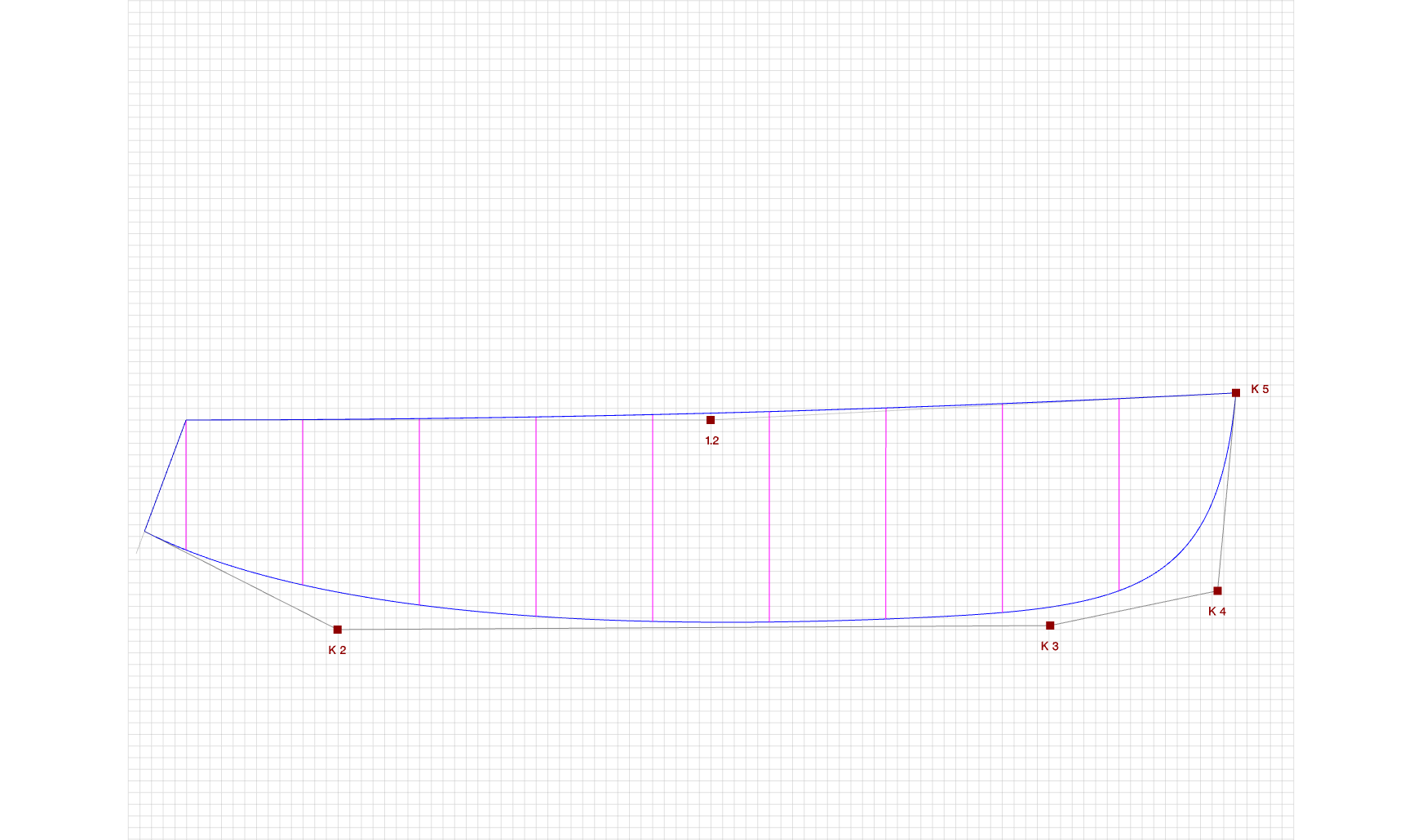
Keel with 5 control points
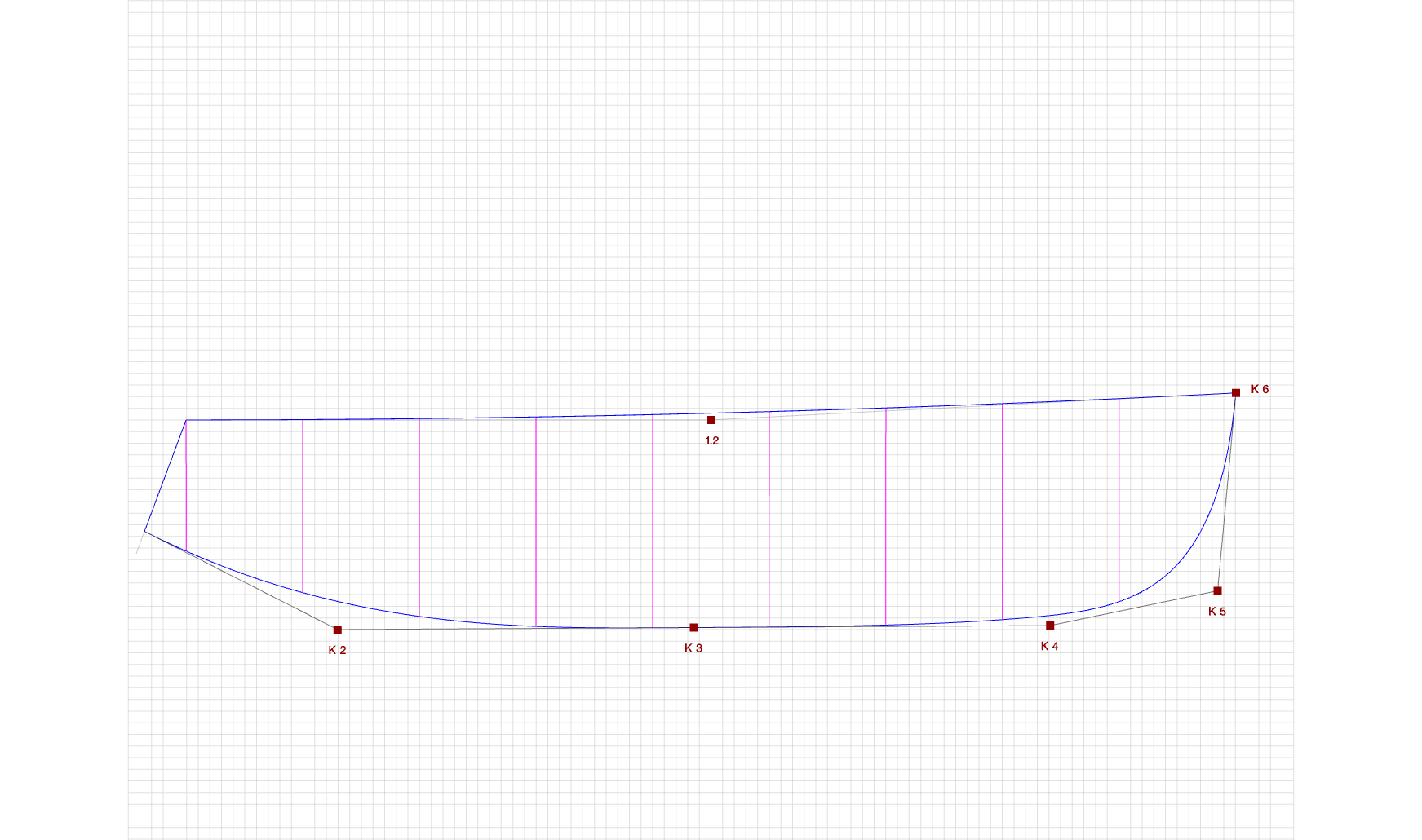
Keel with 6 control points
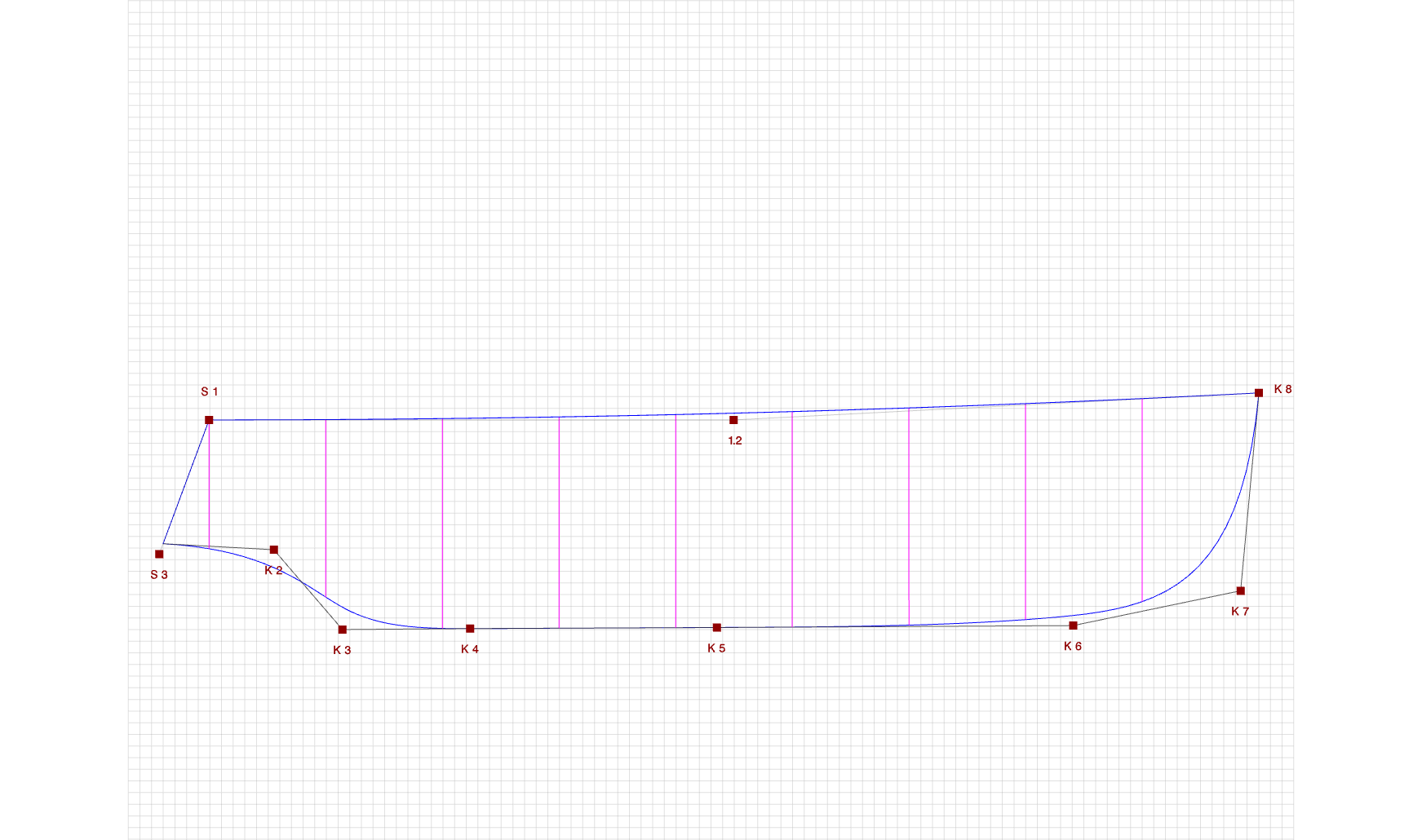
Keel for a motorboat
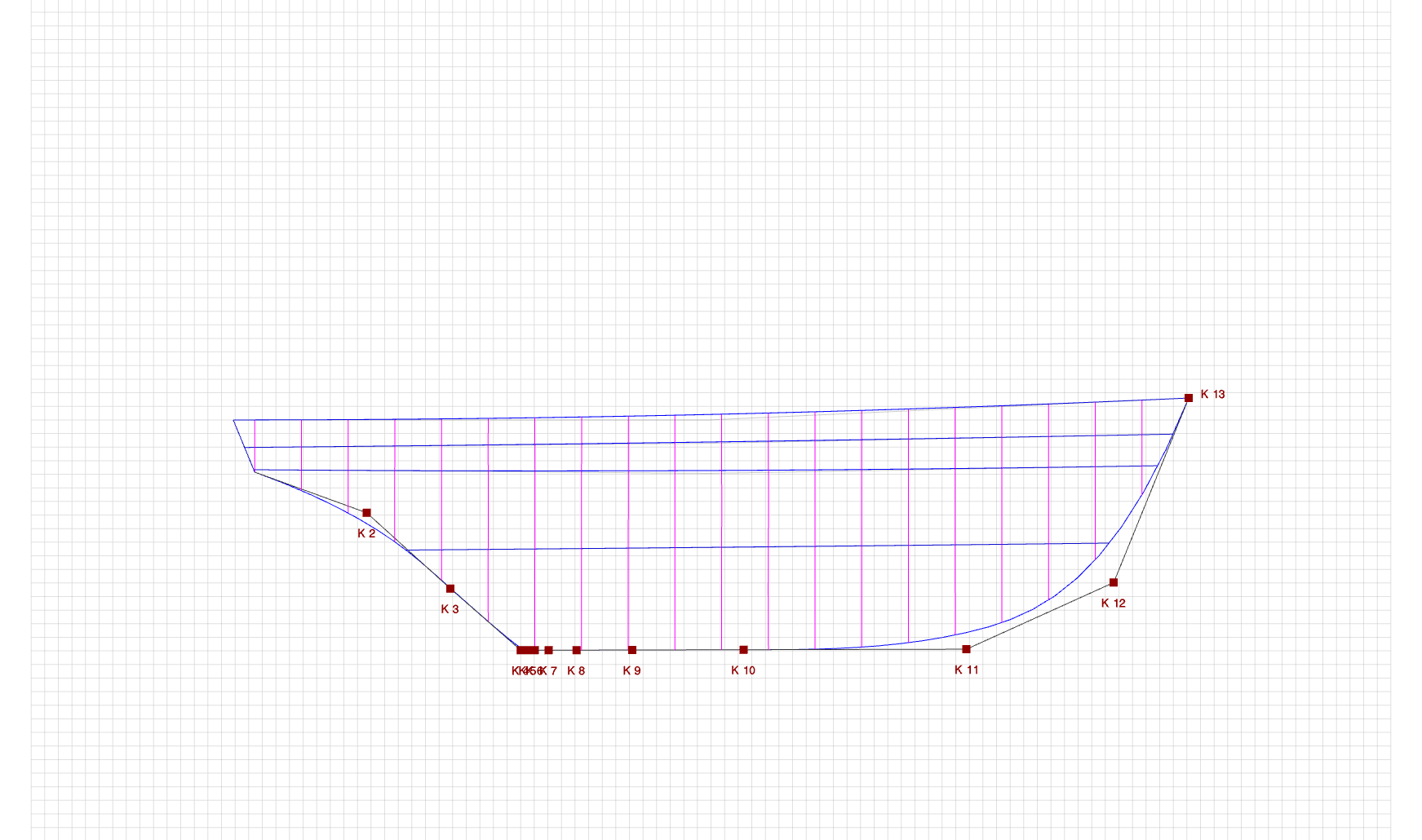
Classical keel for a traditional yacht
The first two examples, "Keel with 5 control points" and "Keel with 6 control points", are suitable for a sailboat or a modern yacht. The second example is similar to the first one, but with one additional control point. Adding one more control point makes the keel line flatter. You can add even more control points if you need finer control over the shape.
The "Keel for a motorboat" example includes space for the propeller. The last example, "Classical keel for a traditional yacht", is intended for a more traditional hull form.
These keel shapes can be created with any of the four BoatCAD wizards for NURBS boats. Watch the videos for more details.
Keel shapes with parametric curves
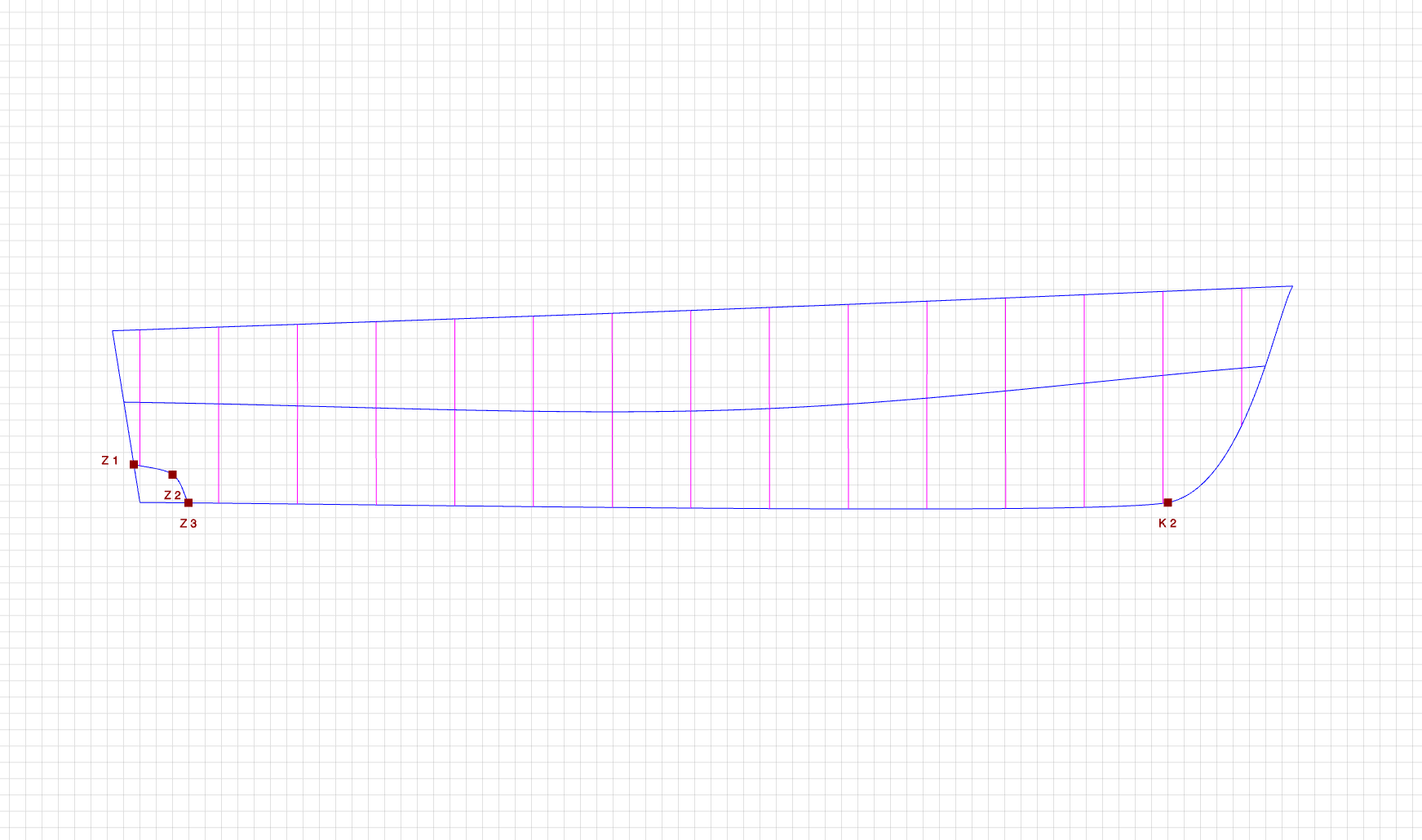
Keel with a propeller arc
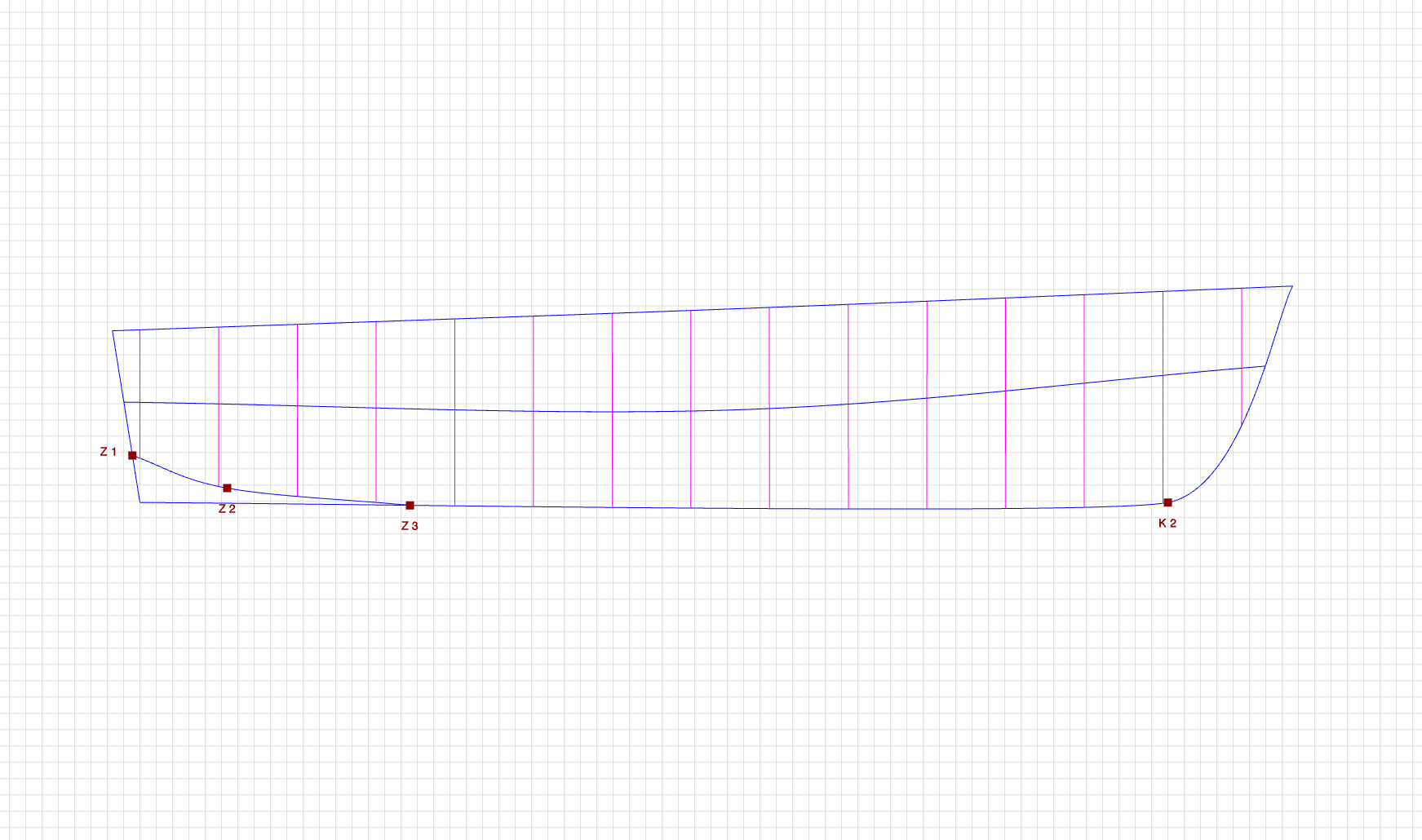
Keel with a longer propeller arc
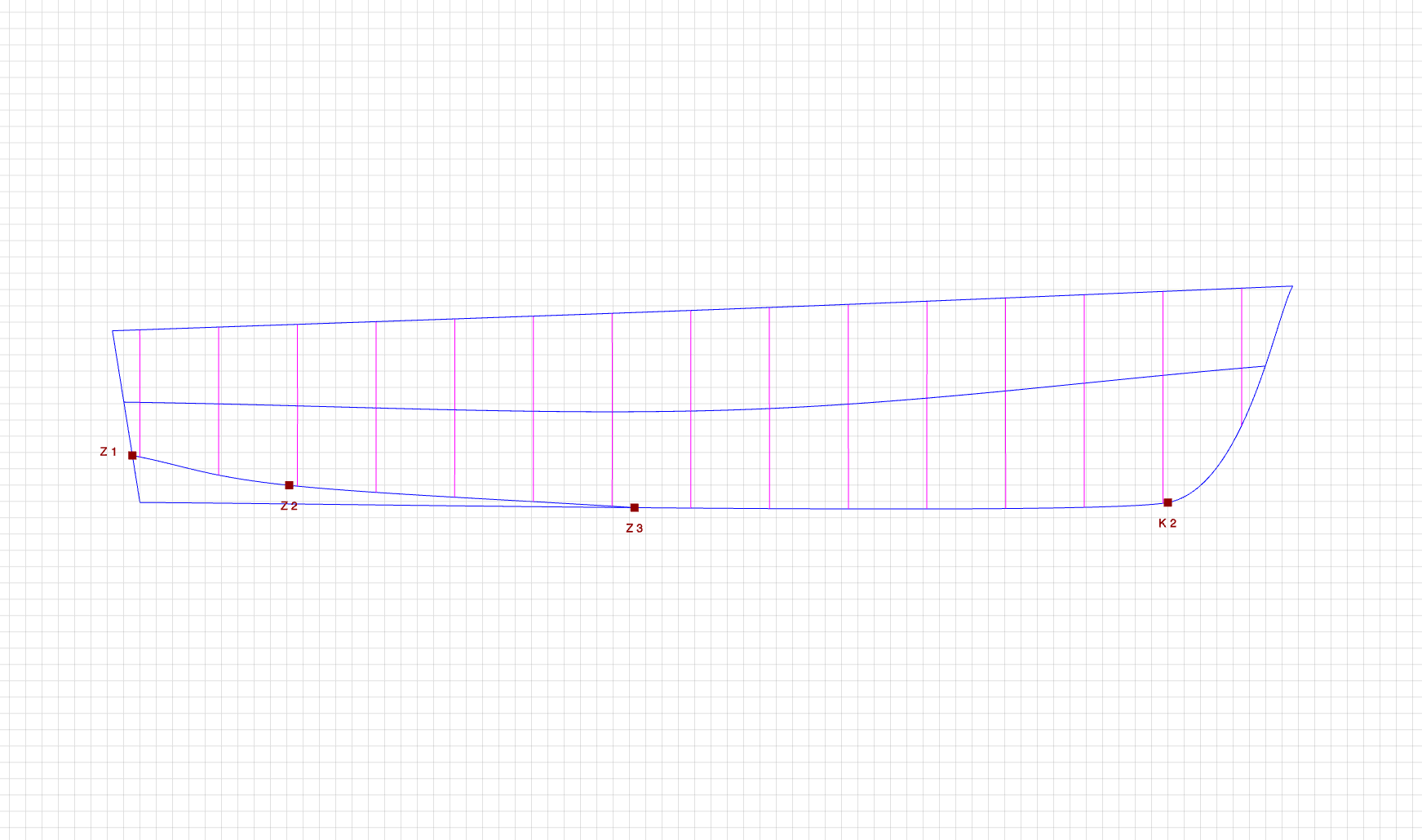
Using the propeller arc to modify the keel shape
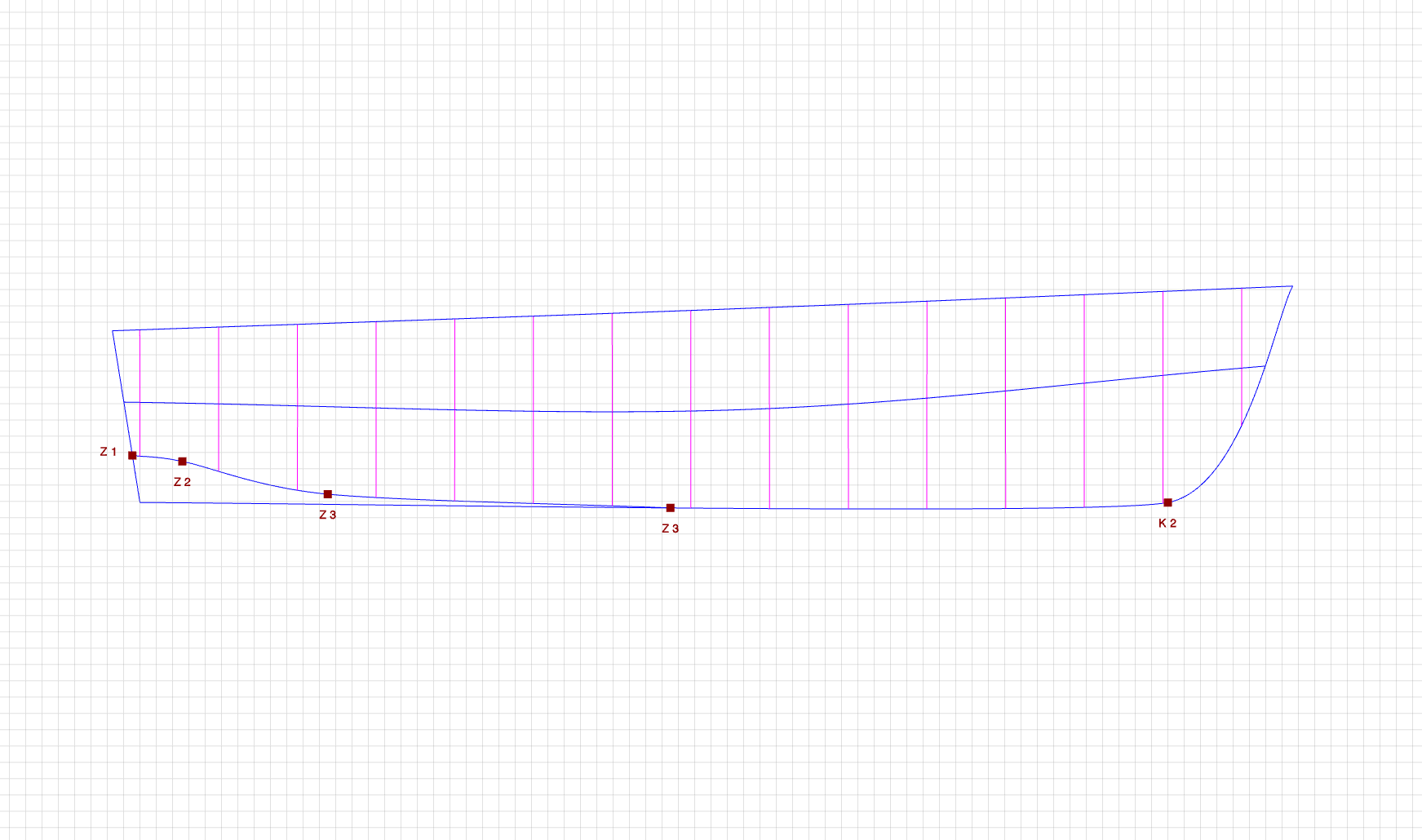
Using the propeller arc to modify the keel shape with more control points
You can create a small propeller arc sized only for the propeller, a larger arc, or use the arc itself to modify the shape of the keel.
In the generated Excel file, the arc is represented by 50 points. You can use these points to define or refine the keel geometry.
How to create a straight line?
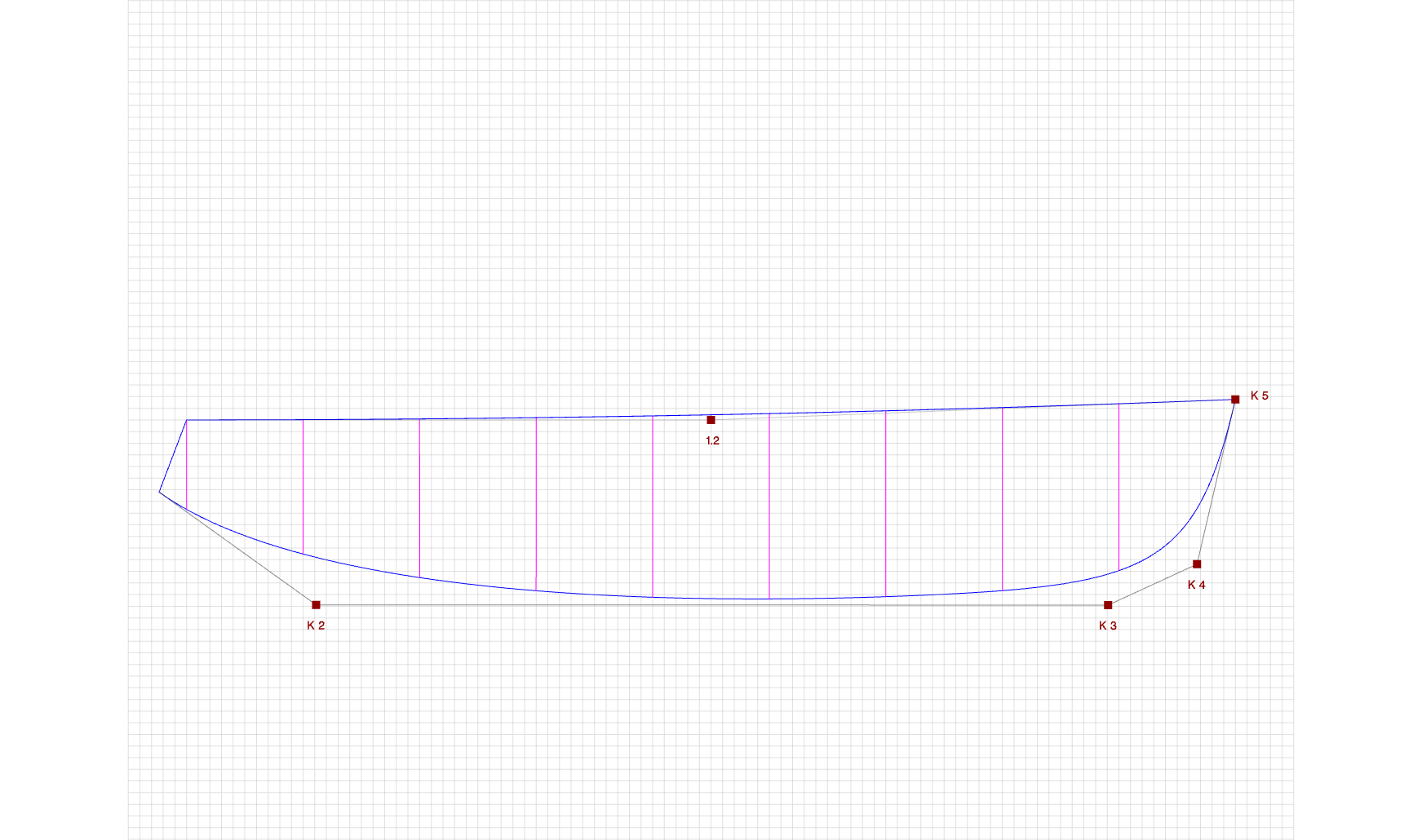
Step 1
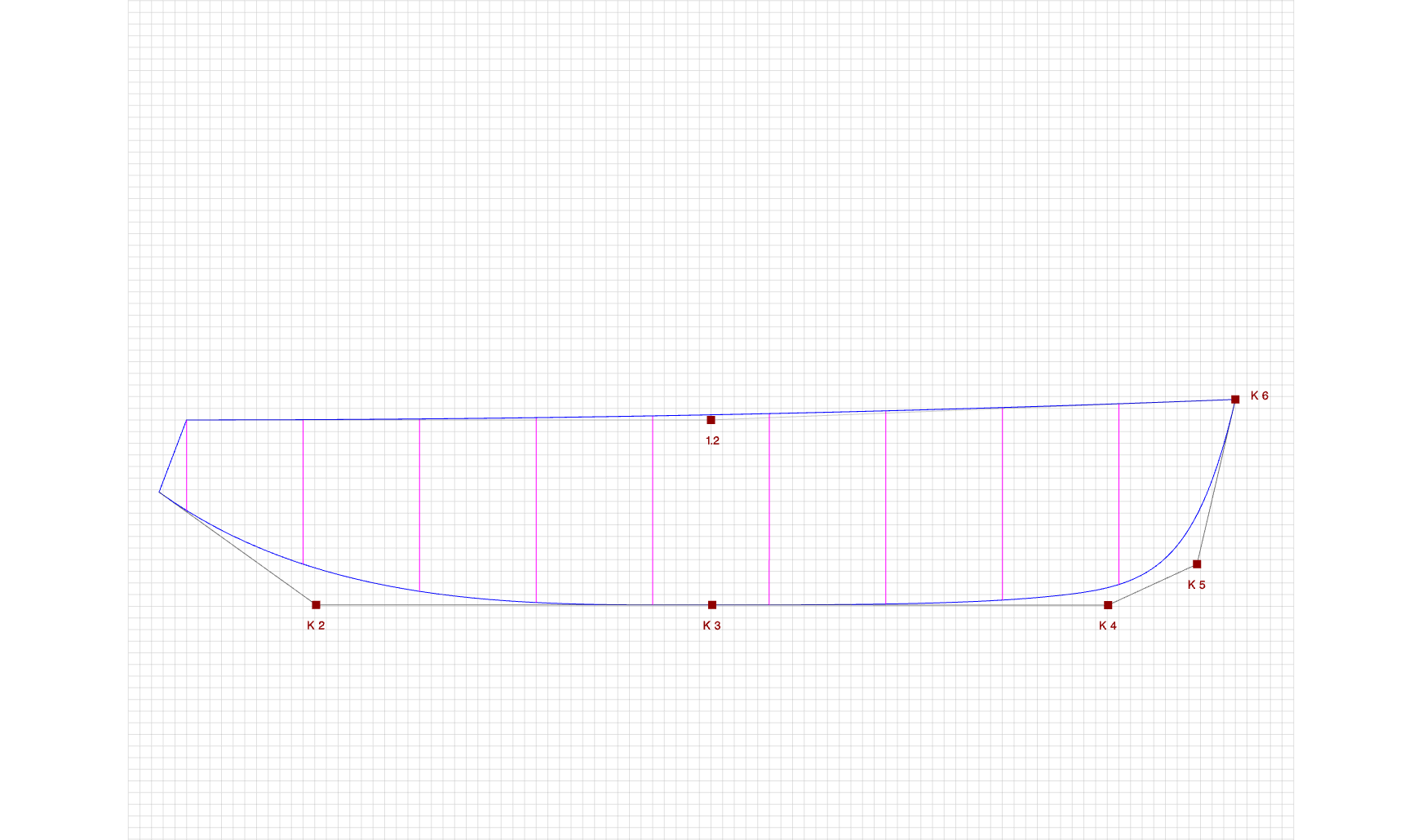
Step 2
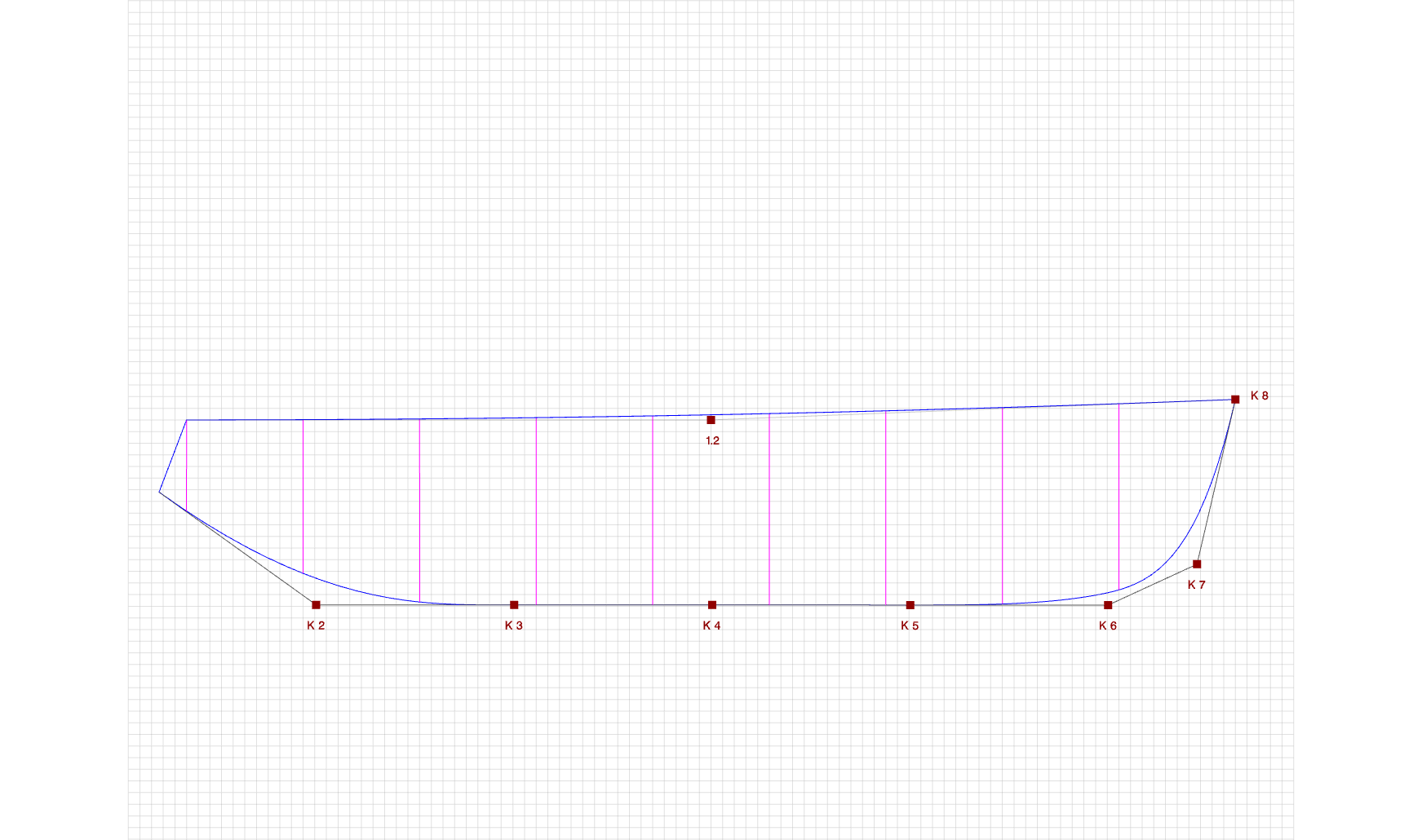
Step 3
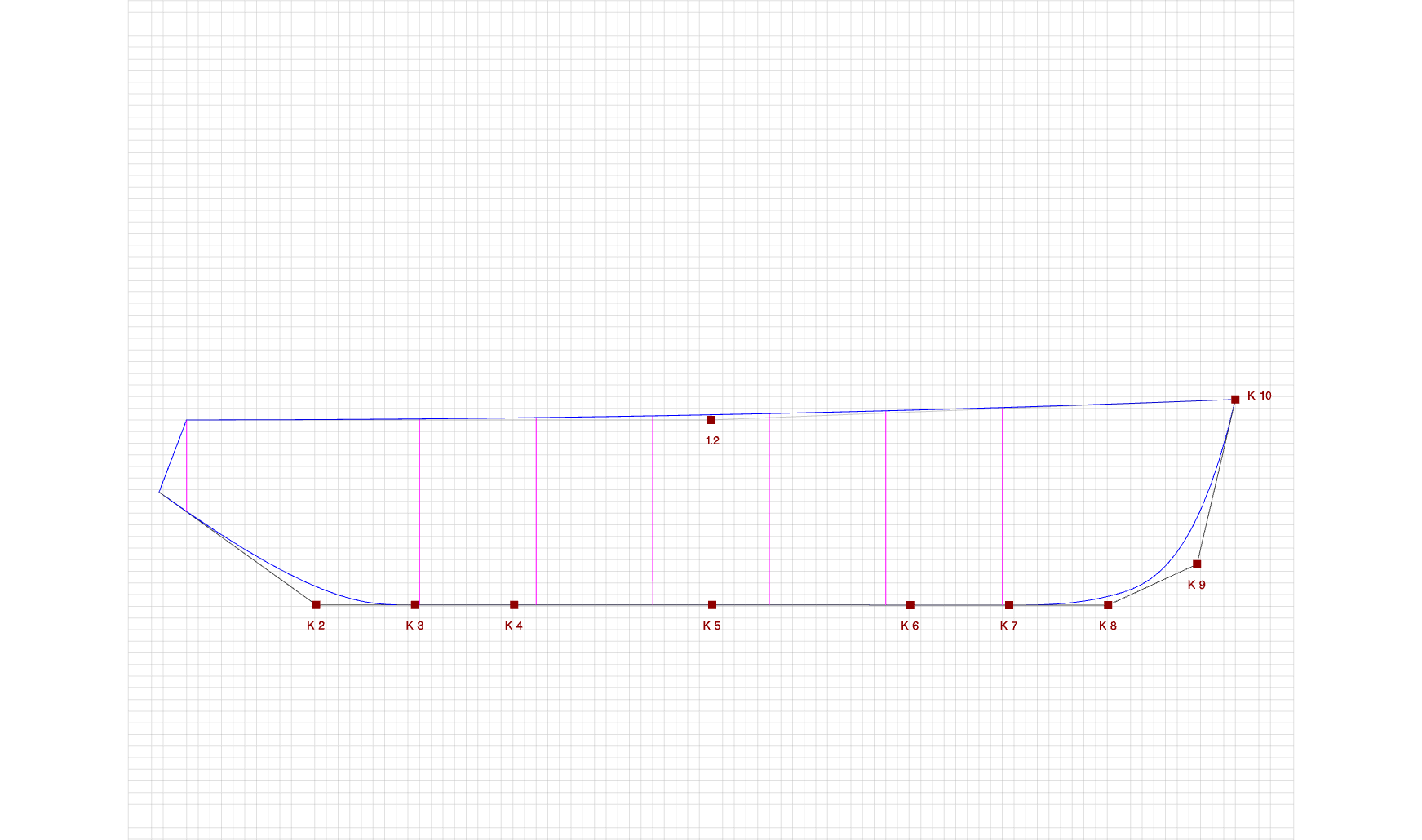
Step 4
In practice, you usually need only part of the curve to become straight. Start with Step 1 and continue through the following steps. Click the "Add" button to insert additional control points. The more control points you place along the straight segment, the longer and straighter that part of the curve will become.